An attendee can be in the room and still miss part of the event.
They may not be able to hear the program clearly from their seat. The captions may be too small to read. A screen may be visible from most of the room but blocked from an accessible viewing area. A remote participant may be able to watch without having a practical way to join the conversation.
None of those issues exist on its own. Each one connects back to the larger technical system.
When accessibility is considered across audio, video, lighting, room layout, content, and remote participation, more people have a dependable way to follow what is happening and take part in it. Just as importantly, the production team has clear requirements to design around, test, document, and execute on site.
Start With How People Need to Participate
“Make the event accessible” is an important goal, but it is not enough technical direction to build from.
The planning conversation needs to get more specific:
- Where will live captions appear: on the main screen, personal devices, or both?
- Does the venue have an assistive listening system, and how will attendees access it?
- Will any presenters or attendees participate remotely?
- Where are the accessible viewing areas, and what can people actually see and hear from those locations?
Those answers can affect screen layouts, audio routing, camera coverage, staffing, content design, and rehearsal time.
That is why these conversations need to happen early. Once the requirements are clear, they can be designed into the production instead of added after the rest of the system has already been built.
Treat Captioning as Part of the System
Captioning is more than text added to a screen. It is a technical path that begins with the person speaking and ends wherever the attendee reads their words.
Every part of that path has to work.
A clean audio feed needs to reach the captioner. The captions need a defined place in the visual layout. If they appear on the main screen, the content has to leave enough room for them without covering names, graphics, or other information people need to see.
The format of the program matters, too.
A single presenter is relatively straightforward. A panel, audience Q&A, remote conversation, or program with multiple microphone sources introduces more variables. Each source entering the program needs a clear route to the captioner, and the team needs to know how those sources will be handled before the show is live.
At Encompass Event Group, we coordinate those requirements with the captioning and content teams, then account for the feeds, signal paths, display locations, and testing time in the technical plan.
Plan Assistive Listening Around the Program
An attendee should not have to understand the event’s audio infrastructure to use an assistive listening system.
They should know where to get a receiver, how to use it, and be able to hear the program once they have it.
Getting to that simple experience takes planning behind the scenes.
We confirm what the venue provides, whether it will integrate with the event audio, who is responsible for distributing receivers, and when the complete system will be tested. If additional equipment is required, it becomes part of the production plan instead of a show-day surprise.
Then we look at the full program.
Presenters, panelists, audience questions, video playback, remote speakers, and any other source the room needs to hear should also reach the assistive listening system. Encompass documents those responsibilities so there is no question about who owns each piece when an attendee asks for support.
Check What Attendees Can Actually See
A screen can be large enough and still be difficult to see.
Room depth, scenic elements, camera positions, speaker placement, and seating layouts can all put something between an attendee and the content. And even a perfectly visible screen cannot solve content that was designed with text too small to read from the room.
That is why we look at the space from more than the ideal seat.
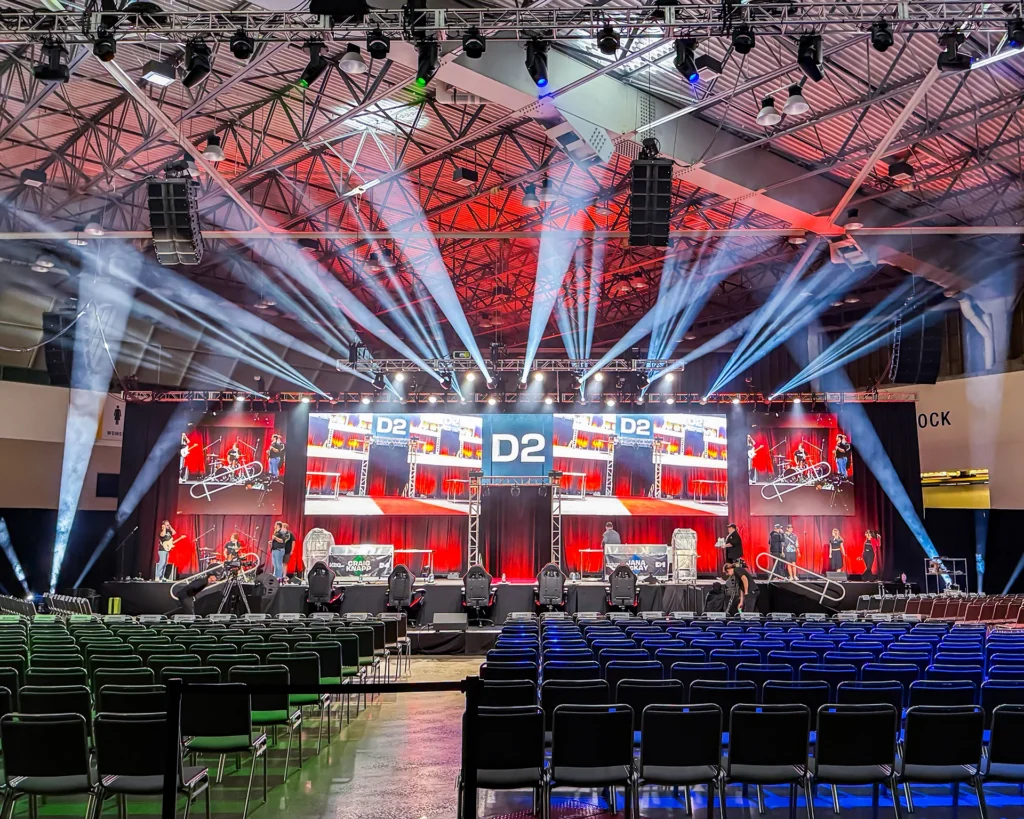
Event CAD and technical documentation help us evaluate sightlines from accessible viewing areas, identify potential obstructions, and account for screen placement, seating, and other technical requirements while there is still time to make a change.
Visibility also includes the people delivering the program.
Facial expressions, gestures, and interpreters may carry information attendees need in order to follow what is happening. Lighting should keep presenters and interpreters visible both in the room and on camera, rather than treating that visibility as something to correct after rehearsal starts.
Include the People Joining Remotely
Providing a stream is only part of remote participation.
Attendees still need to hear the program, see the content, follow captions when provided, and understand how to participate. Remote presenters need a reliable way to see, hear, and respond to the room.
Those requirements belong in the same technical plan as everything happening on site. We rehearse remote presenters on the systems they will use, test the necessary audio and video paths, and make sure responsibilities are clear before the event begins.
Put It in the Plan
Accessibility requirements are too important to live in one person’s inbox or depend on a conversation the on-site crew never heard.
We document what is being provided, how the systems connect, when they will be tested, and who is responsible for each part. The Show Book gives Planning, Procurement, and Execution the same information while keeping the agency, producer, or technical director informed. For event agencies and producers, that means having a technical partner who can manage the AV requirements without creating another layer of complexity.
That matters because accessibility is not one piece of equipment or one person’s responsibility. It touches multiple parts of the production, and all of them need to work together.
For attendees, that means a more dependable way to hear, see, and participate.
For the team producing the event, it means fewer unanswered questions once the room is full and the program is underway.
If accessibility is part of your event brief, let’s work through what it means technically. Encompass can help define the requirements, coordinate responsibilities, and build them into the production plan from the start.